09 · Portable / CB
SOTA/POTA/WWFF activations, /P callsigns, and CB / 11-metre logbook
Activation / Portable Window
RadioLog includes a dedicated logbook for portable activations: SOTA, POTA, WWFF, /P contests, or any operation away from your regular shack. This logbook is independent from the main logbook so activation QSOs don't mix with your regular log.
Access from: Modes → Activation / Portable
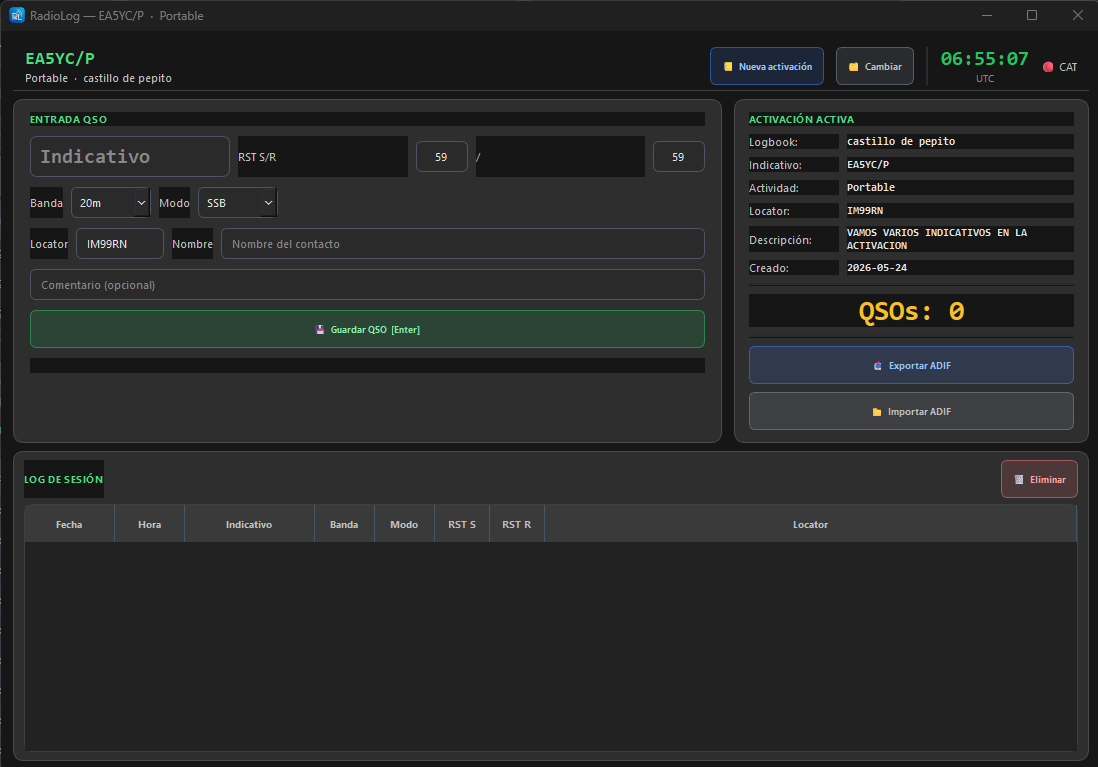
Creating an Activation Logbook
- Click the New activation button
- Fill in the dialog:
| Field | Description | Example |
|---|---|---|
| Name | Descriptive name for the session | SOTA Peñagolosa 2026-07-05 |
| Callsign | Callsign used during the activation | EA5YC/P |
| Activity type | Type selected from the drop-down | SOTA |
| Locator | Grid Square of the operating location | IM99ac |
| Notes | Free description (summit, park, reference…) | EA5/VL-001 Peñagolosa |
The Activity type drop-down includes: Normal, Portable, Mobile, SOTA, POTA, WWFF, IOTA, Contest, Special Event, DX Expedition.
Logging QSOs in the Activation
The logging panel works the same as the main logbook, with the usual fields:
- Callsign, sent / received RST
- Band and mode (synchronised with CAT if connected)
- Contacted station's locator
- Name and comment
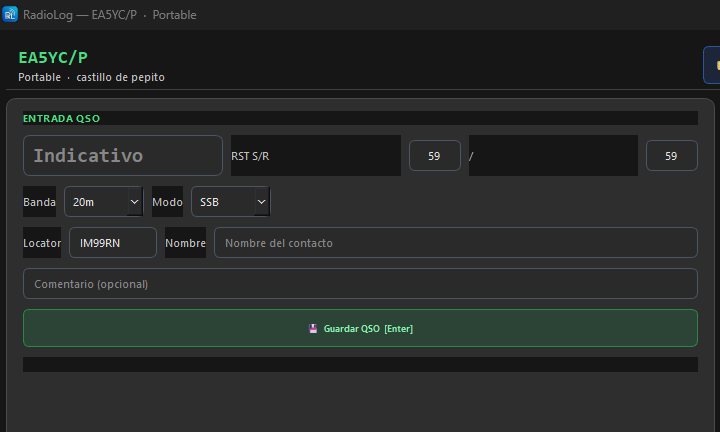
Exporting the Activation to ADIF
When the activation is finished, export the log with the Export ADIF button. The resulting file includes the activity type and locator, and can be imported into the main logbook or uploaded to eQSL/LoTW.
Switching Activation
To view past activations or switch to another active logbook, use the Switch activation button (or the context menu that appears on right-click in the activation panel). All activations are saved and you can reopen any of them to review QSOs or export the ADIF again.
CB / 11-Metre Logbook
RadioLog includes a fully independent logbook for Citizens Band (CB) and 11 metres (26–28 MHz). Access from Modes → CB / 11 Metres.
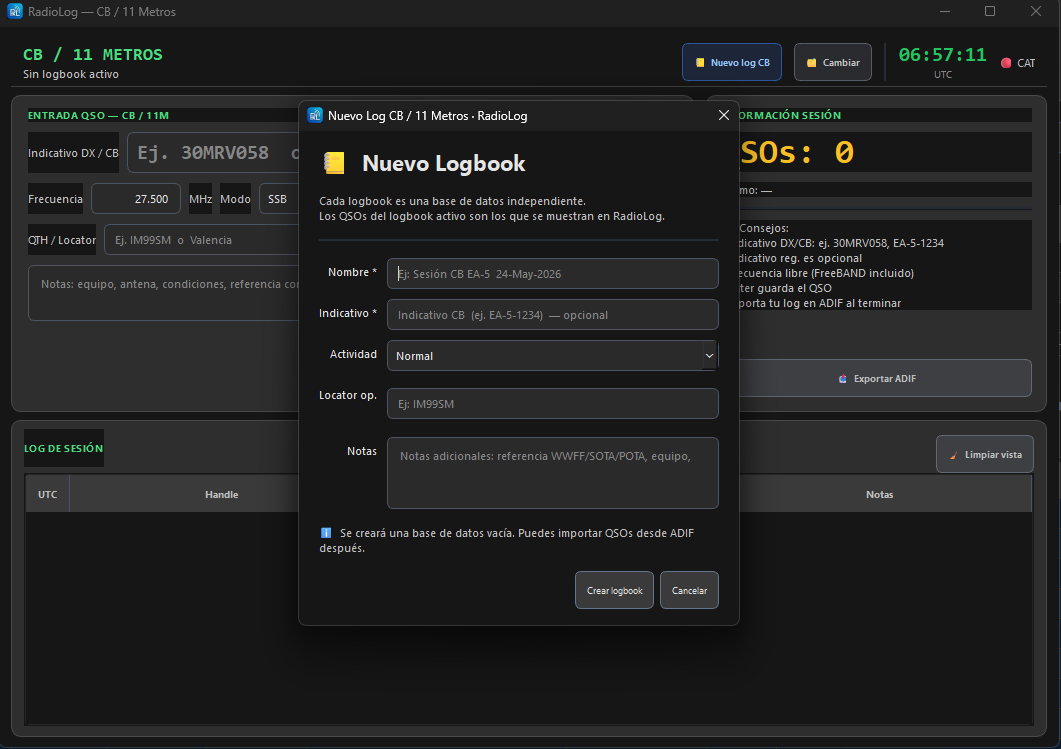
CB Logbook Features
- Separate database from the amateur logbook — CB QSOs are categorised «cb» internally
- Flexible identification — accepts handle (air name), national CB callsign, or radio club callsign
- 26–28 MHz frequencies — full CB and Freeband range, no artificial limits
- CAT compatible — if your CB radio has CAT, RadioLog can read the frequency automatically
CB QSO Fields
| Field | Description |
|---|---|
| Handle | Air name / handle of the contact (primary field) |
| Callsign | Optional CB callsign (e.g. 30MRV058 or EA-5-1234) |
| Frequency | Frequency in MHz — range 26.000–28.000 |
| Mode | SSB, USB, LSB, AM, FM, CW |
| RST Sent | Sent report |
| RST Rcvd | Received report |
| QTH / Locator | Location or grid of the contact |
| Comment | Free notes |
Exporting the CB Logbook
The CB logbook can be exported to ADIF (with band «11m» for compatibility with other programs) from the Export ADIF button in the toolbar.