07 · Tools
Map, propagation, statistics, and awards
Main Tabs
RadioLog organises its tools into tabs in the main window. You can access them from the Tools menu or with keyboard shortcuts.
| Tab | Menu | Shortcut |
|---|---|---|
| Logbook | Logbook → Go to Logbook | Ctrl+L |
| Map | Tools → Map | Ctrl+M |
| Propagation | Tools → Propagation | Ctrl+P |
| Awards | Tools → Awards | Ctrl+A |
| Statistics | Tools → Statistics | Ctrl+E |
Map
Displays your QSOs on a world map with link lines from your QTH.
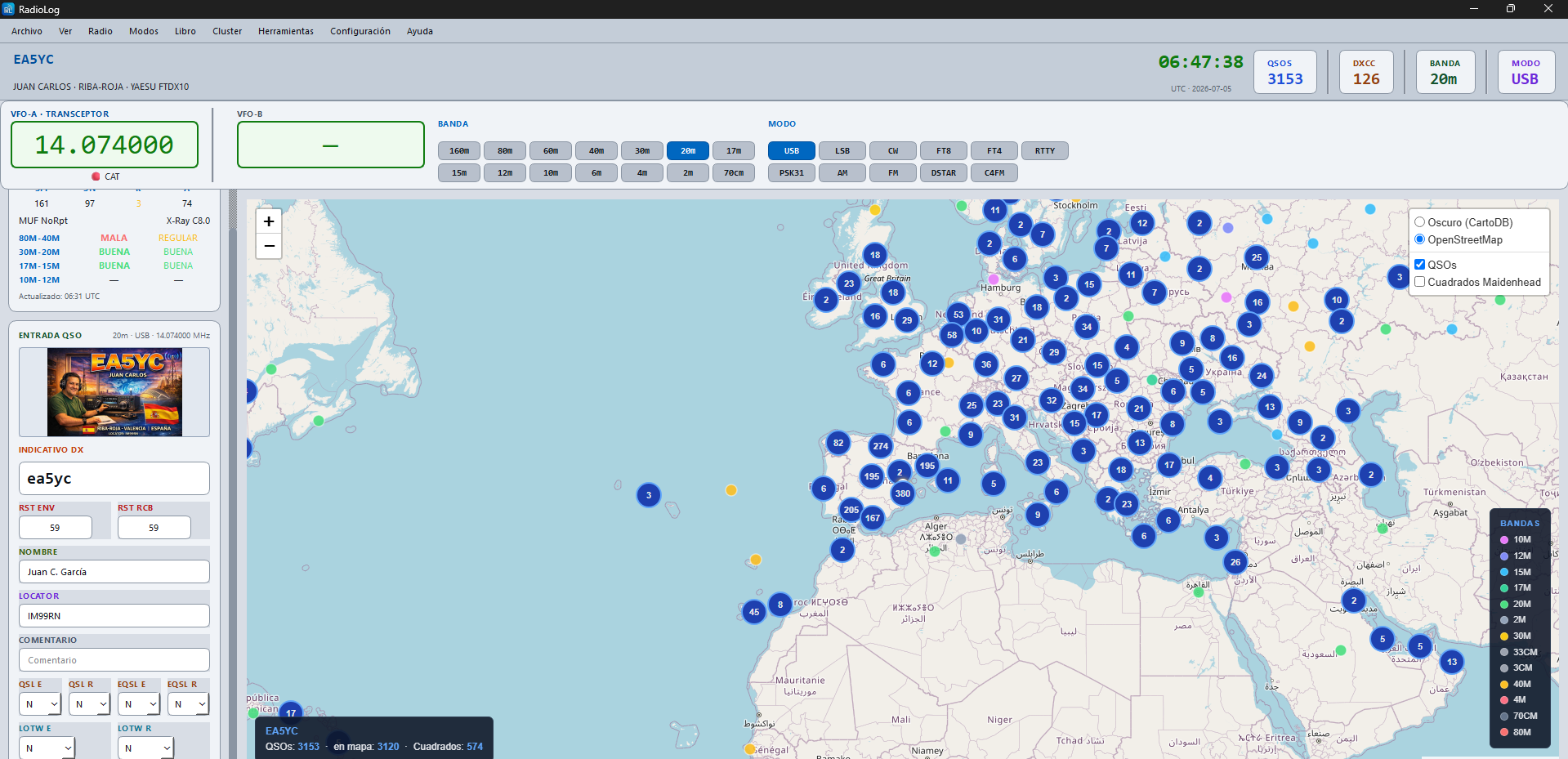
Offline Mode (new in v3.4.0)
A button at the bottom of the Map tab shows the current mode — Mode: Offline or Mode: Online — and switches between them when clicked:
- Offline — uses a built-in world map image and draws your QSOs on it without contacting the internet. This is the default for new installations, and requires nothing extra to set up: the map image ships with RadioLog.
- Online — uses real map tiles (dark CartoDB or OpenStreetMap) with more geographic detail, but needs an internet connection.
The Refresh map button next to it just reloads the QSOs from the logbook — useful right after logging new contacts.
Propagation
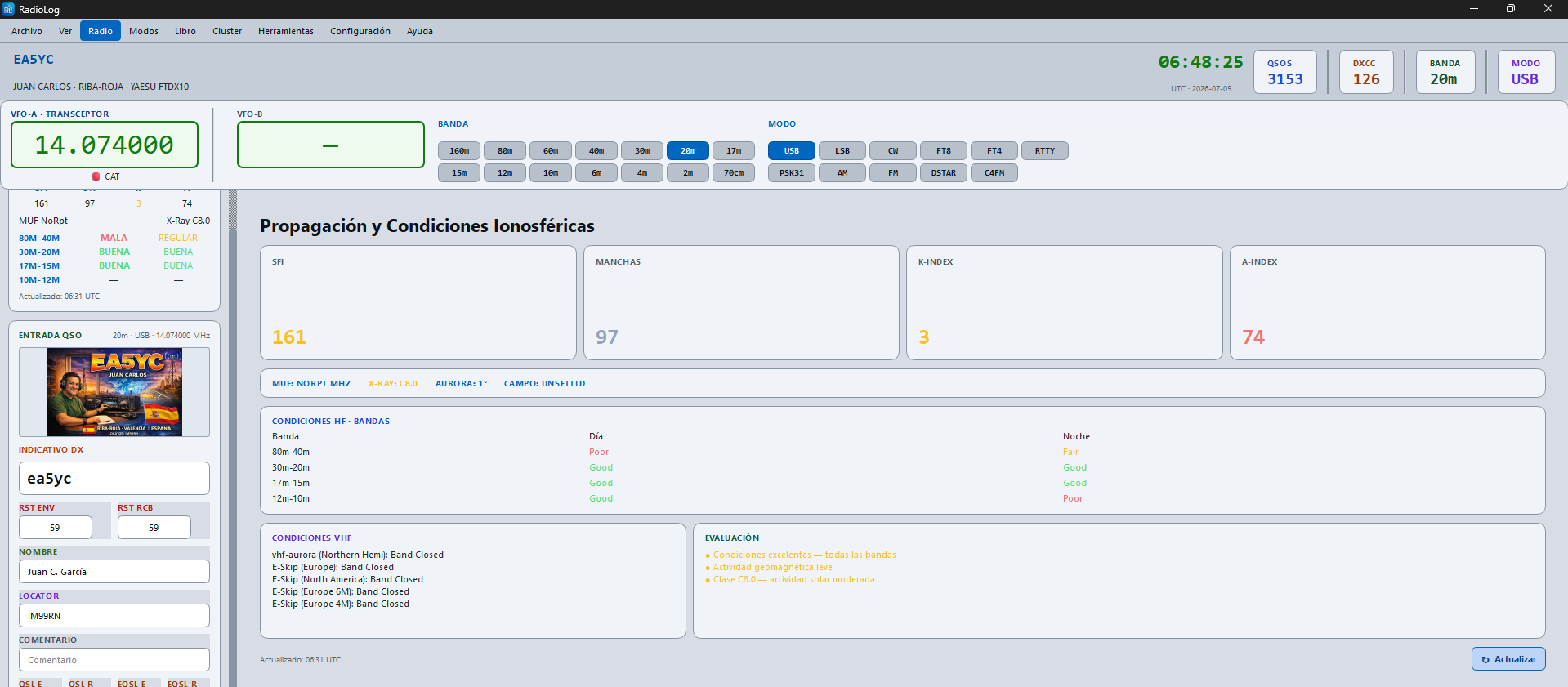
Shows real-time propagation indices: solar flux index, A, K, and band conditions.
Statistics
The Statistics tab (Ctrl+E) shows a visual summary of all your activity.
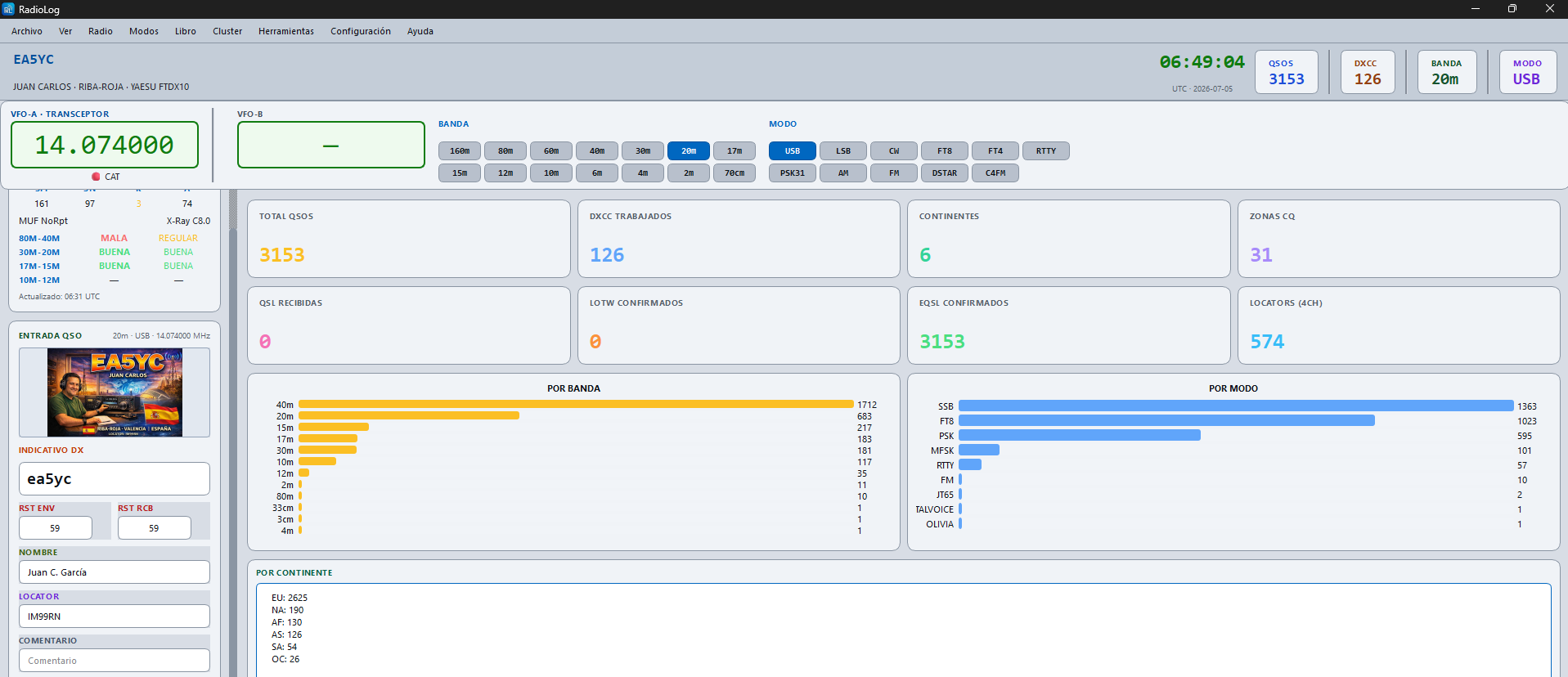
Summary Cards
| Card | Description |
|---|---|
| Total QSOs | Total number of contacts in the logbook |
| DXCC worked | Distinct DXCC entities contacted |
| Continents | Continents worked |
| CQ Zones | Distinct CQ zones worked |
| QSL received | Paper QSL confirmations received |
| LoTW confirmed | QSOs confirmed via LoTW |
| eQSL confirmed | QSOs confirmed via eQSL.cc |
| Locators (4ch) | Distinct Maidenhead squares worked |
Charts
- By band — bar chart of total QSOs per band
- By mode — bar chart of mode distribution
- By continent — QSO count per continent
Awards and Diplomas
The Awards tab (Ctrl+A) shows your DXCC progress and a list of diplomas.
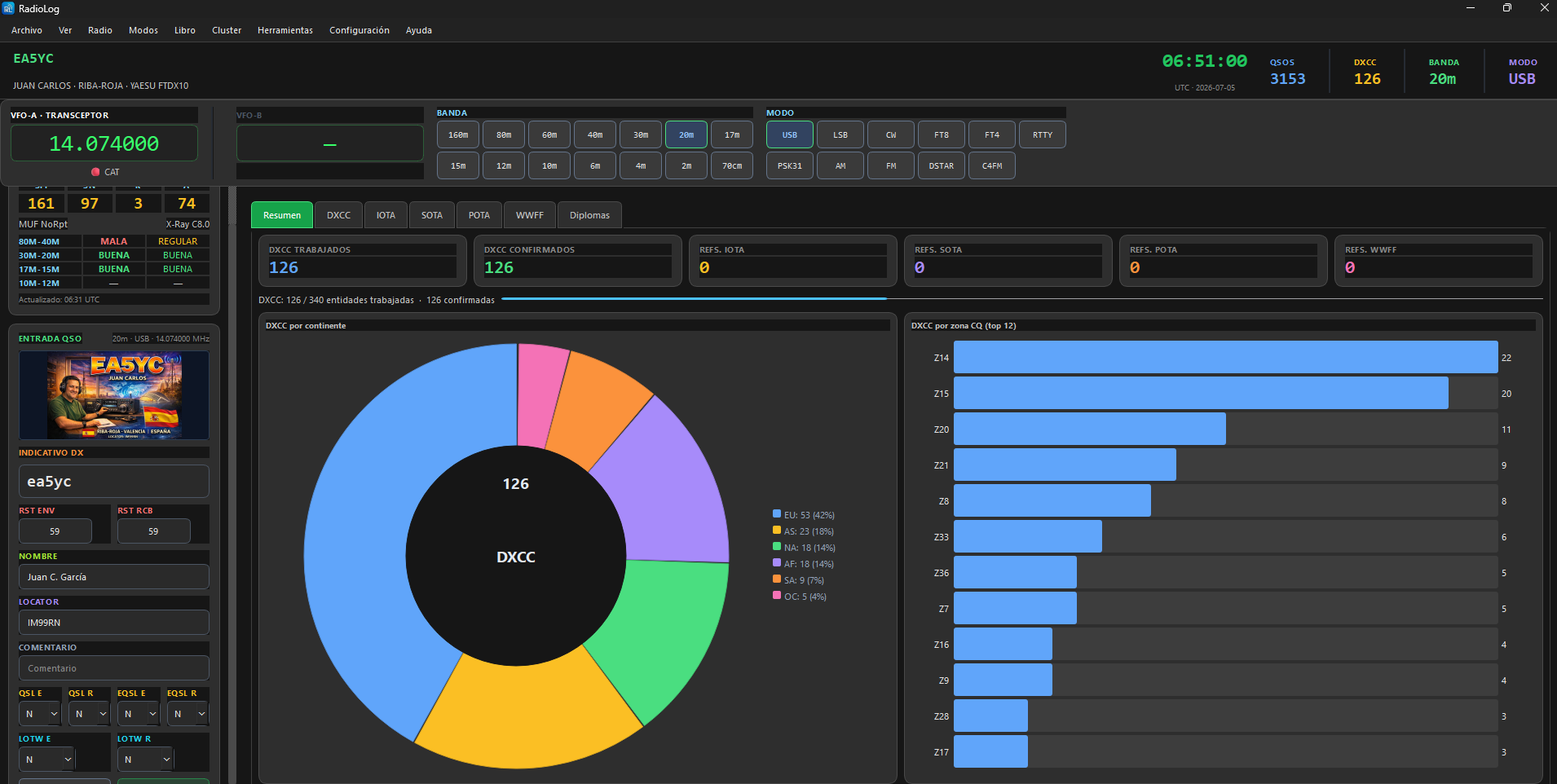
DXCC Panel
- DXCC worked and confirmed
- Progress bar towards 340 entities
- DXCC chart by continent
- DXCC bars by CQ zone
Diploma List
Complete list of standard awards with checkboxes to mark Applied and Granted. Includes DXCC (Mixed, Band, Mode, Challenge, Satellite), CQ WAZ, VUCC, and more.