
05 · Contests
Participating in contests, automatic scoring and Cabrillo/EDI export
Contest Module
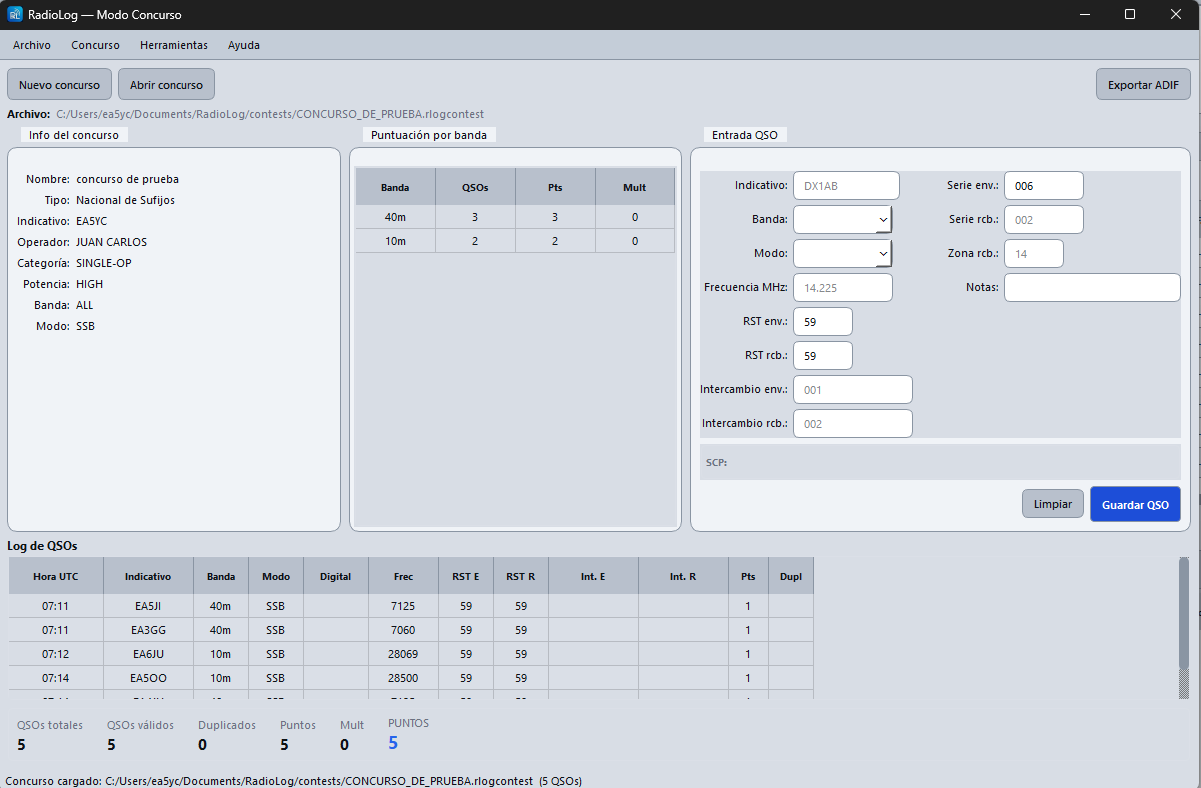
RadioLog includes a dedicated contest module. It lets you create a separate log per contest, calculate real-time scores, and export in the standard Cabrillo and EDI formats.
Access from: Modes → Contests or from the sidebar if visible.
Creating a New Contest
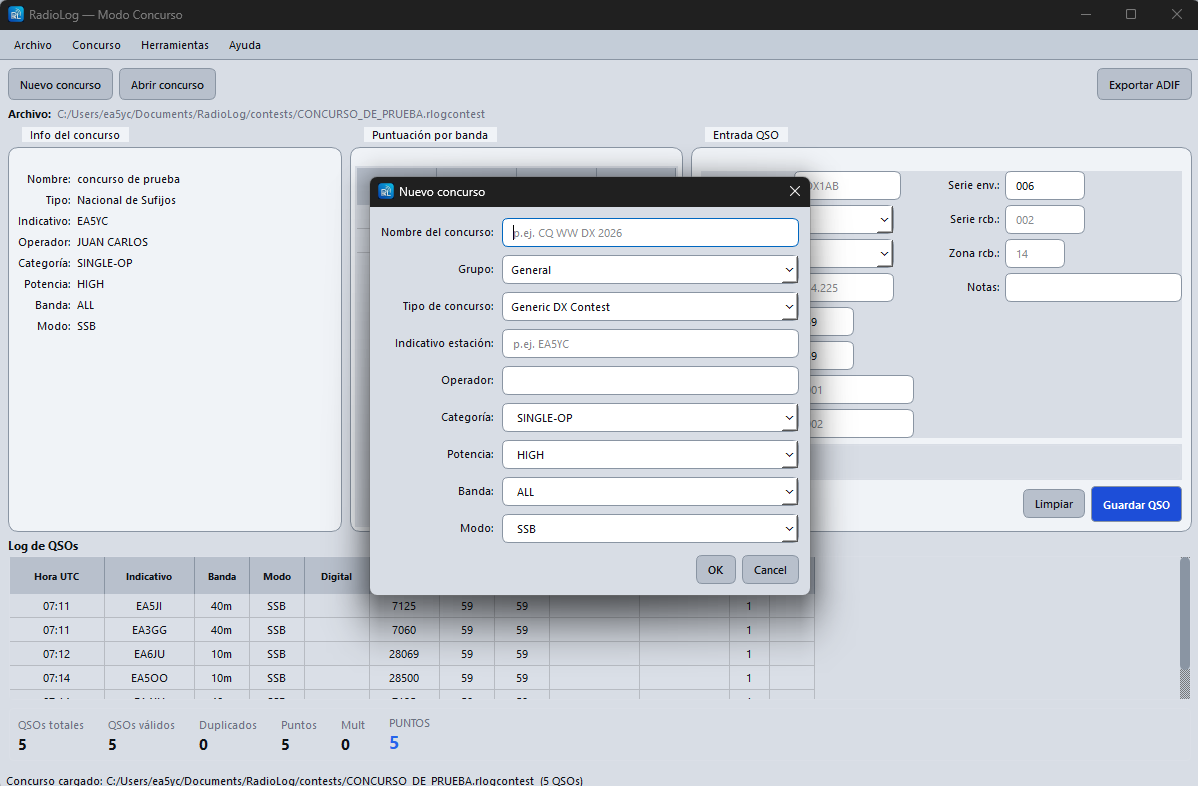
- Go to Modes → Contests to open the contest window.
- Click the New button.
- Fill in the contest details:
| Field | Description |
|---|---|
| Name | Descriptive name for the contest (e.g. «URE HF 2026») |
| Group | Group or club (for the Cabrillo header) |
| Type | Contest type (determines the scoring rules) |
| Callsign | Contest callsign (may differ from your regular call) |
| Operator | Operator name |
| Category | Single-op, Multi-op, QRP, etc. |
| Power | Transmit power |
| Band | Band(s) of participation |
| Mode | Emission mode |
Logging QSOs in a Contest
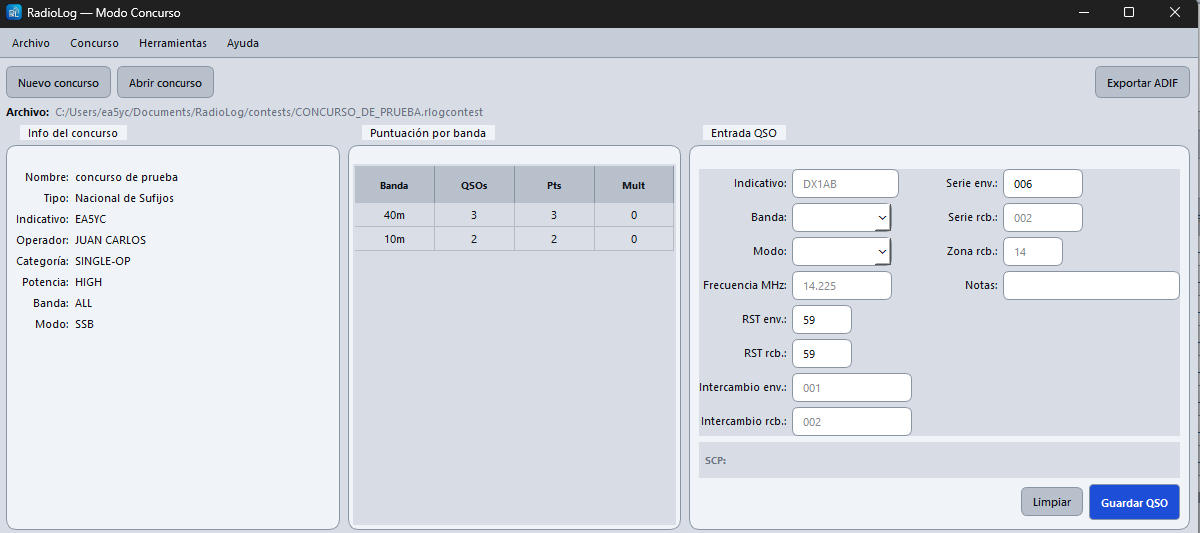
With an active contest, the logging panel shows additional contest-specific fields:
- Received exchange — The exchange the other station sends you (serial number, province, locator…)
- Points — Calculated automatically according to the contest rules
- Multiplier — Whether the QSO adds a new multiplier
QSOs are saved to the contest log, separate from the main logbook. After the contest you can merge them into the general logbook if you wish.
Real-Time Scoreboard
During the contest the scoreboard panel continuously shows:
- Total QSOs — all logged contacts
- Valid QSOs — without duplicates or errors
- Dupes — duplicate contacts detected
- Points — sum of valid QSO points
- Multipliers — total multipliers achieved
- Score — final result (points × multipliers)
Duplicate Detection
RadioLog checks each callsign entered against the contest log and immediately warns if you have already worked that station on the same band and mode. The duplicate callsign is highlighted in red.
Exporting the Contest Log
Within the contest window use the File menu:
| Option | Description |
|---|---|
| File → Export ADIF | Export the log in standard ADIF format |
| File → Export Cabrillo | Standard format for submission to contest organisers |
| File → Export EDI | REG1TEST format for European VHF/UHF contests (IARU, VUSHF) |
Previous Contests
To reopen a past contest click the Open button in the contest window and select the contest database file. From there you can review QSOs, add late entries, or export the log again.