06 · ADIF / eQSL / LoTW
Importing and exporting logs, electronic confirmations, and online service synchronisation
The ADIF Format
ADIF (Amateur Data Interchange Format) is the universal standard for exchanging logs between programs and services. RadioLog supports full ADIF for both importing and exporting.
Exporting to ADIF
There are three ways to export:
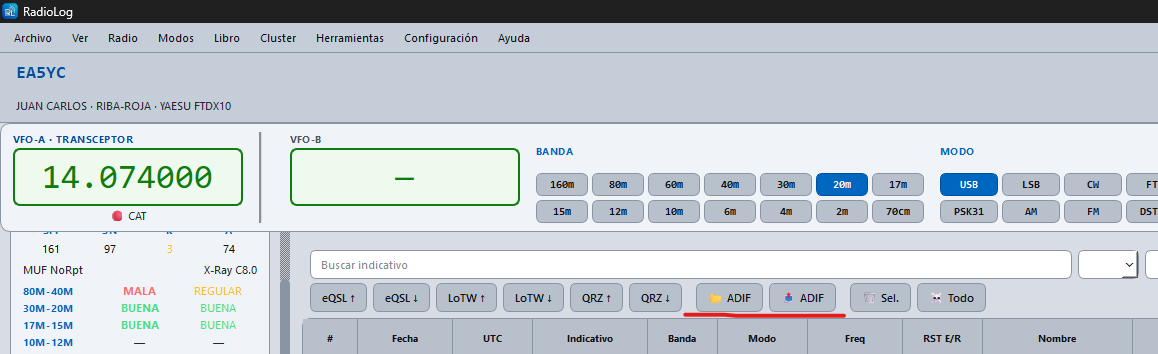
- Menu File → Export ADIF
- Button 📤 Export ADIF in the logbook toolbar
- Right-click on the logbook → 📤 Export ADIF
Any active filters in the logbook are applied to the export — if you have a band or date filter active, only those QSOs are exported.
Importing from ADIF
There are three ways to import:
- Menu File → Import ADIF
- Button 📥 Import ADIF in the logbook toolbar
- Right-click on the logbook → 📥 Import ADIF
RadioLog shows a summary before importing: QSOs found and duplicates detected. You can confirm or cancel.
eQSL
eQSL.cc allows the exchange of electronic QSL cards. Configure your username and password in Settings → Confirmations.
Uploading QSOs to eQSL
- Menu Logbook → Send selected QSO → eQSL.cc
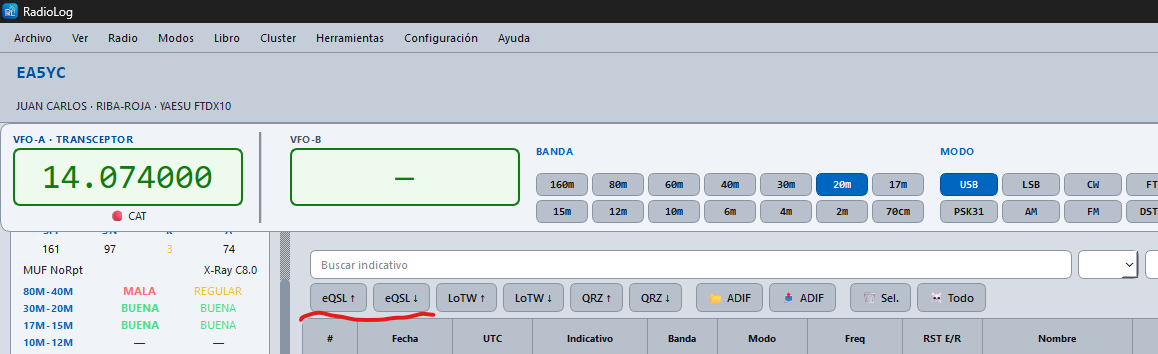
- Or button eQSL ↑ in the logbook toolbar
If you select several rows before clicking, RadioLog sends them all in a batch (up to 300 QSOs at once), with a progress window and the option to stop it partway through.
Downloading eQSL Confirmations
- Menu Logbook → Download confirmations → eQSL.cc
- Or button eQSL ↓ in the logbook toolbar
Confirmed QSOs are marked in the logbook with the eQSL indicator.
Viewing and Downloading the eQSL Card
Downloading confirmations only marks the QSO as confirmed (Yes/No) — to see the actual image of the card you were sent, use these two buttons:
- 📥 eQSL: downloads the card images for already-confirmed QSOs and saves them to
~/Documents/RadioLog/eqsl_cards/. - 🖼 View: opens a window showing the card for the selected QSO (only enabled if that QSO has a received eQSL).
LoTW (Logbook of the World)
LoTW is the ARRL confirmation system, valid for DXCC, WAS, and VUCC awards. It requires TQSL installed and configured with your callsign.
Uploading QSOs to LoTW
- Menu Logbook → Send selected QSO → LoTW
- Or button LoTW ↑ in the logbook toolbar
With several rows selected, RadioLog signs and uploads the whole batch at once with a single tqsl process (up to 300 QSOs), closer to how TQSL is meant to be used than sending them one by one.
Downloading LoTW Confirmations
- Menu Logbook → Download confirmations → LoTW
Enter your arrl.org credentials when prompted. RadioLog downloads and processes confirmations automatically.
QRZ Logbook
Uploading QSOs to QRZ Logbook
- Menu Logbook → Send selected QSO → QRZ Logbook
- Or button QRZ ↑ in the logbook toolbar
With several rows selected they are all uploaded as a batch (up to 300 QSOs), with a progress window. If one was already in QRZ Logbook, it's still marked as sent without counting as an error.
Reciprocal sync (new in v3.5.0)
RadioLog no longer just uploads your QSOs to QRZ Logbook — it can now bring back what you have on QRZ.com too. This is handy if you sometimes log contacts directly in QRZ.com from your phone or another computer (for example from a second location) and want them to end up in your local logbook as well.
- Button QRZ ↓ in the logbook toolbar
- Or menu Logbook → Download confirmations → QRZ Logbook
A dialog opens where you pick the date to sync changes from ("Changes on QRZ since"). RadioLog downloads those records, updates the confirmation status of QSOs you already have, and adds as new any that only exist on QRZ.com. When merging, RadioLog automatically recognizes the same contact even with small time differences between platforms, so it doesn't create duplicates.
Configure your QRZ Logbook API key in Settings → Confirmations.
ClubLog and HRDLog
- Logbook → Send selected QSO → ClubLog
- Logbook → Send selected QSO → HRDLog