03 · CAT Control
Connecting your radio, VFO control, modes and relay for external programs
What is CAT?
CAT (Computer Aided Transceiver) allows RadioLog to control your radio from the computer: reading and changing frequency, mode, band and other parameters without touching the physical controls. It also lets WSJT-X and other programs share control without port conflicts.
Configuring the CAT Connection
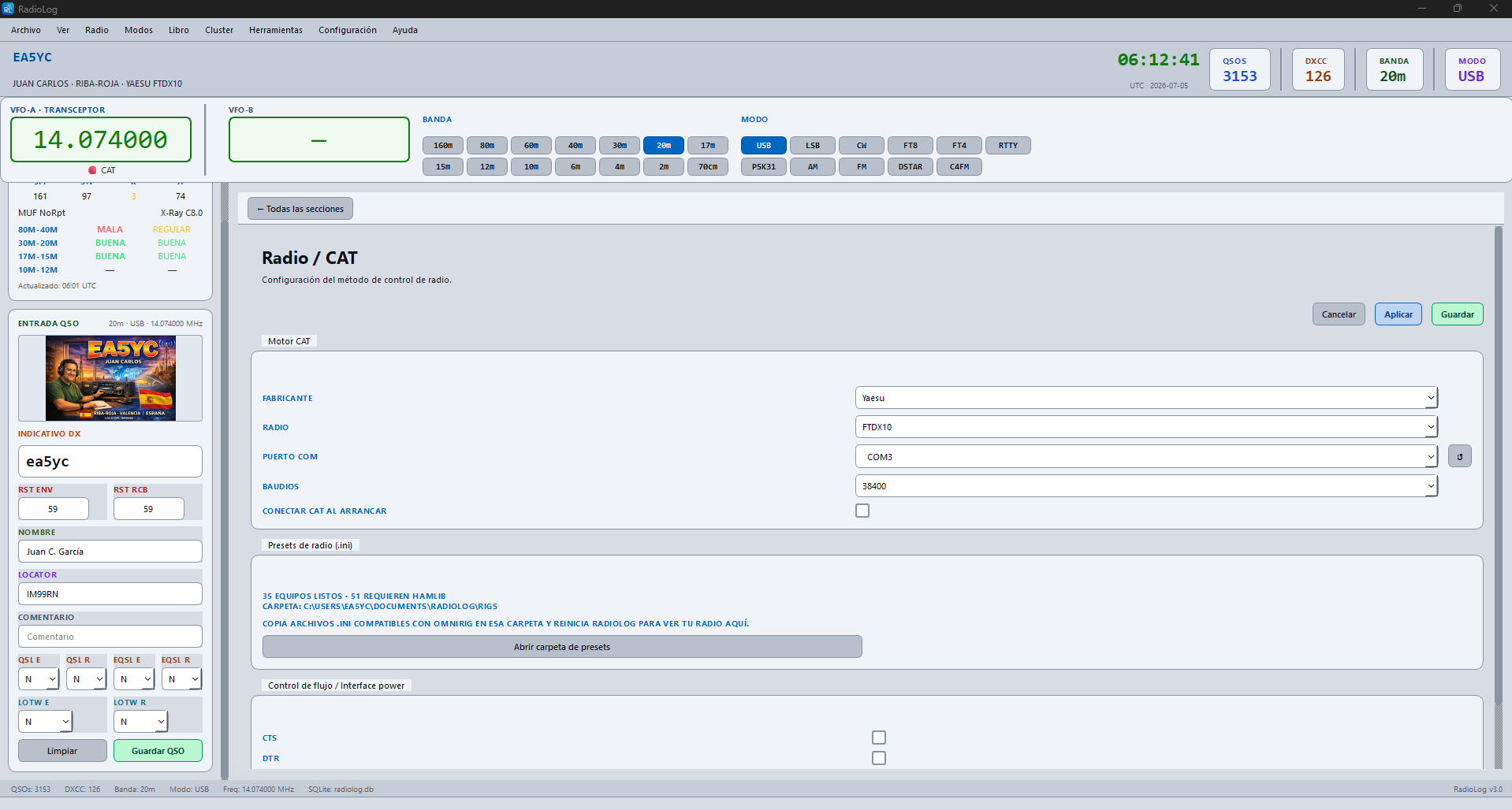
Go to Settings → CAT to configure the connection with your radio.
The Three CAT Methods
| Method | Recommended for | Requires |
|---|---|---|
| Direct RadioLog CAT control | Yaesu FT-991A, FTDX10, FT-710… and native Icom CI-V | Just the USB/serial cable of the radio |
| Hamlib managed by RadioLog | Yaesu FT-817/817ND, FT-818, FT-857/857D, FT-897/897D | Just the USB/serial cable — Hamlib is bundled, nothing to install |
| External rigctld server | Any of the 500+ radios Hamlib supports, or an existing rigctld you already run | A separately running rigctld process |
Method 1 · Direct RadioLog CAT control (recommended for Yaesu and Icom)
- Connect the radio to the PC via USB (the cable included with the radio).
- Windows installs drivers automatically. Note the COM port number (e.g. COM3) in Device Manager.
- In Settings → CAT: set CAT Method to Direct RadioLog CAT control.
- Choose the Manufacturer and Radio model. For Icom CI-V radios, a CI-V Address (hex) field appears automatically.
- Choose the COM port (use the ↺ button to rescan serial ports) and the correct baud rate.
- Optionally tick Connect CAT on startup.
- Save the configuration, then connect from Radio → Connect CAT.
Baud rates by Yaesu model
| Model | Baud rate |
|---|---|
| FT-817 / FT-818 | 9600 |
| FT-991 / FT-991A | 38400 |
| FTDX10 / FTDX101 | 38400 |
| FT-710 AESS | 38400 |
| FT-DX5000 | 115200 |
Method 2 · Hamlib managed by RadioLog (new in v3.4.0)
RadioLog now includes Hamlib 4.7.2 itself — there is nothing to download or install separately. When you connect, RadioLog launches its own rigctld process in the background for the selected radio and stops it when you disconnect or close the app.
- In Settings → CAT: set CAT Method to Hamlib managed by RadioLog.
- Choose your radio from the Radio model dropdown. Initial support covers:
- Yaesu FT-817 / FT-817ND
- Yaesu FT-818
- Yaesu FT-857 / FT-857D
- Yaesu FT-897
- Yaesu FT-897D
- Choose the COM port and baud rate as usual — the radio is still connected by serial cable, RadioLog just talks to it through its internal rigctld.
- Save and connect from Radio → Connect CAT. RadioLog starts rigctld automatically, restricted to
127.0.0.1(never exposed to the network) and picks a free TCP port on its own — no port number to configure.
radiolog.log file helps complete the validation.
Method 3 · External rigctld server
Use this method for any Hamlib-supported radio not yet in RadioLog's managed list (Icom, Kenwood, Elecraft, Flex Radio and 500+ others), or if you already run your own rigctld for other software.
Installing Hamlib on Windows
- Download from github.com/Hamlib/Hamlib/releases the file
hamlib-w64-X.X.X.zip. - Extract to
C:\Hamlib\. - Check in CMD:
C:\Hamlib\bin\rigctld.exe --version
Starting rigctld with your radio
# Icom IC-7300 — COM3, 9600 baud
rigctld -m 3073 -r COM3 -s 9600

# Icom IC-7610 — COM3, 9600 baud
rigctld -m 3078 -r COM3 -s 9600

# Kenwood TS-890S — COM3, 115200 baud
rigctld -m 2044 -r COM3 -s 115200

# Elecraft K3 — COM3, 38400 baud
rigctld -m 2029 -r COM3 -s 38400

# Find your model:
rigctld --list
Configuring RadioLog to use it
- In Settings → CAT: set CAT Method to External rigctld server.
- Host:
localhost| Port:4532(or whatever your rigctld is using). - Make sure rigctld is running before connecting. RadioLog only acts as a client — it never starts or stops this rigctld.
- Connect from Radio → Connect CAT.
Control Window: Radio → RigControl
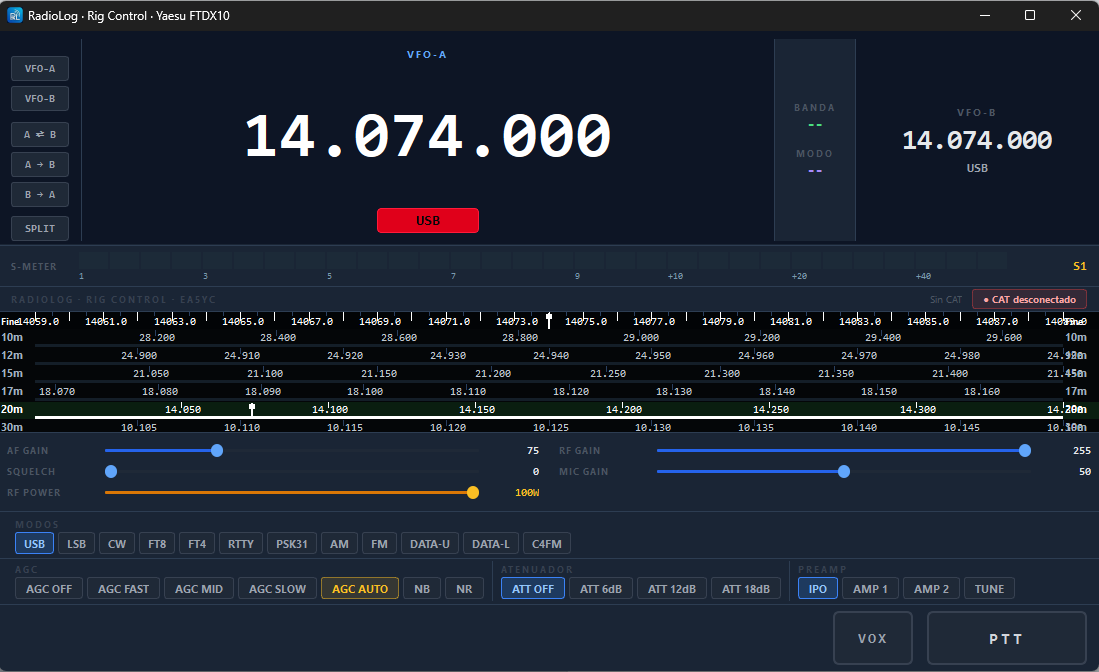
Once CAT is connected, open Radio → RigControl for the real-time radio control panel: frequency, mode, VFO-A/B, band and connection status.
CAT Relay for WSJT-X and Other Programs
When RadioLog is connected to the radio, it automatically acts as a rigctld server (Hamlib NET rigctl) on TCP port 4532. WSJT-X, JTDX, FLDigi and any Hamlib-compatible program can connect to RadioLog without conflict — RadioLog is the sole owner of the serial port.
Configuration in WSJT-X:
- File → Preferences → Radio
- Rig: Hamlib NET rigctl
- Network server:
localhost:4532 - Do not configure any serial port here — RadioLog manages everything.
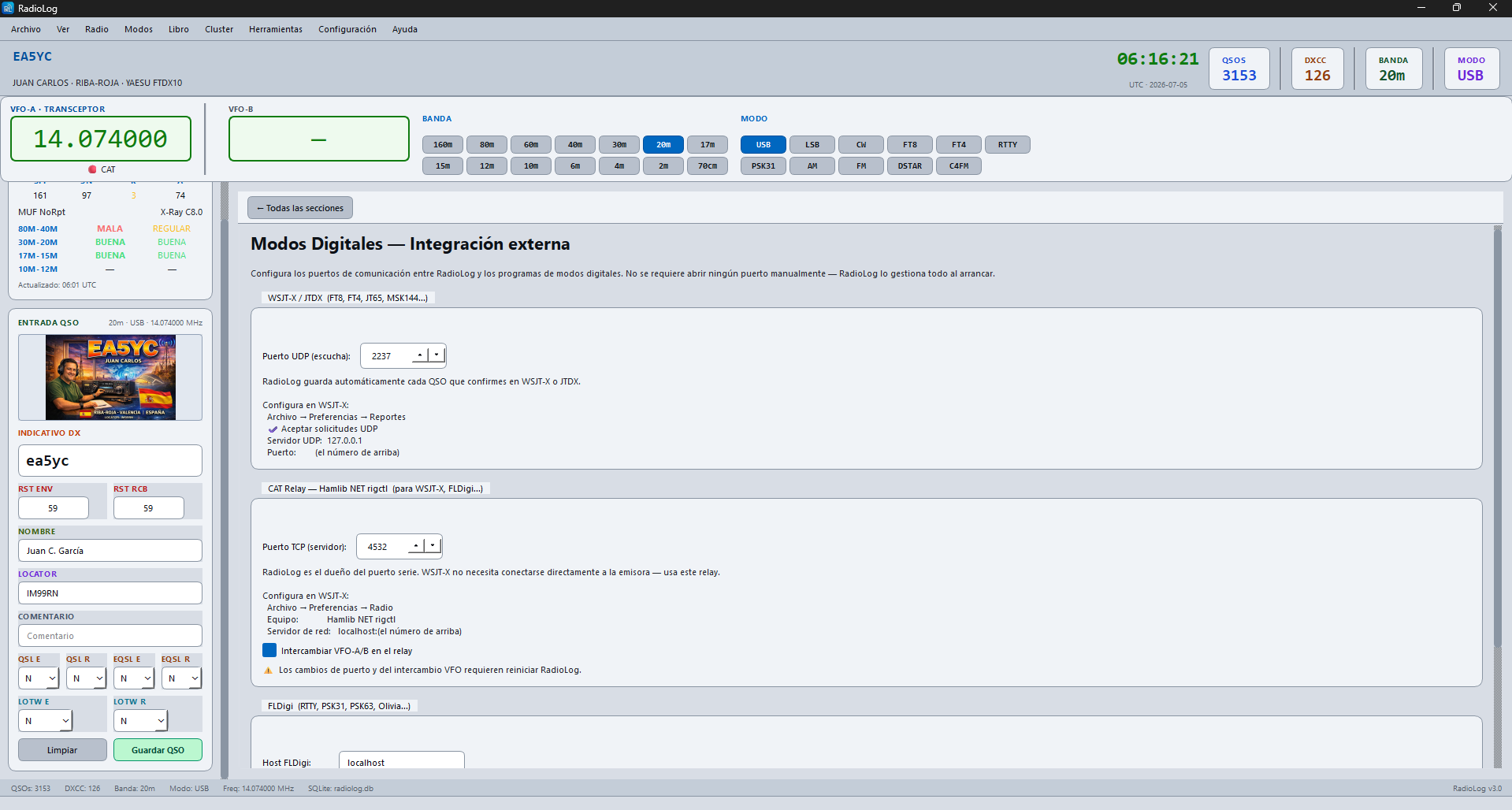
Problem: WSJT-X moves the wrong VFO
Symptom: Changing frequency in WSJT-X moves VFO-B instead of VFO-A (or vice versa).
Cause: On some Yaesu radios (e.g. FTDX10) CAT commands FA/FB don't correspond to the physical VFO-A/B labels.
Solution: Settings → Digital Modes → CAT Relay → ☑ Swap VFO-A/B in relay → Save → Restart RadioLog.