
Your whole history, in one place
- Fast QSO entry: when you leave the callsign field, RadioLog looks it up on QRZ.com or HamQTH and fills in the name and the grid.
- Search and filters by callsign, band, mode and date, with columns you choose.
- Duplicate detection and a context menu to edit, delete or upload a QSO.
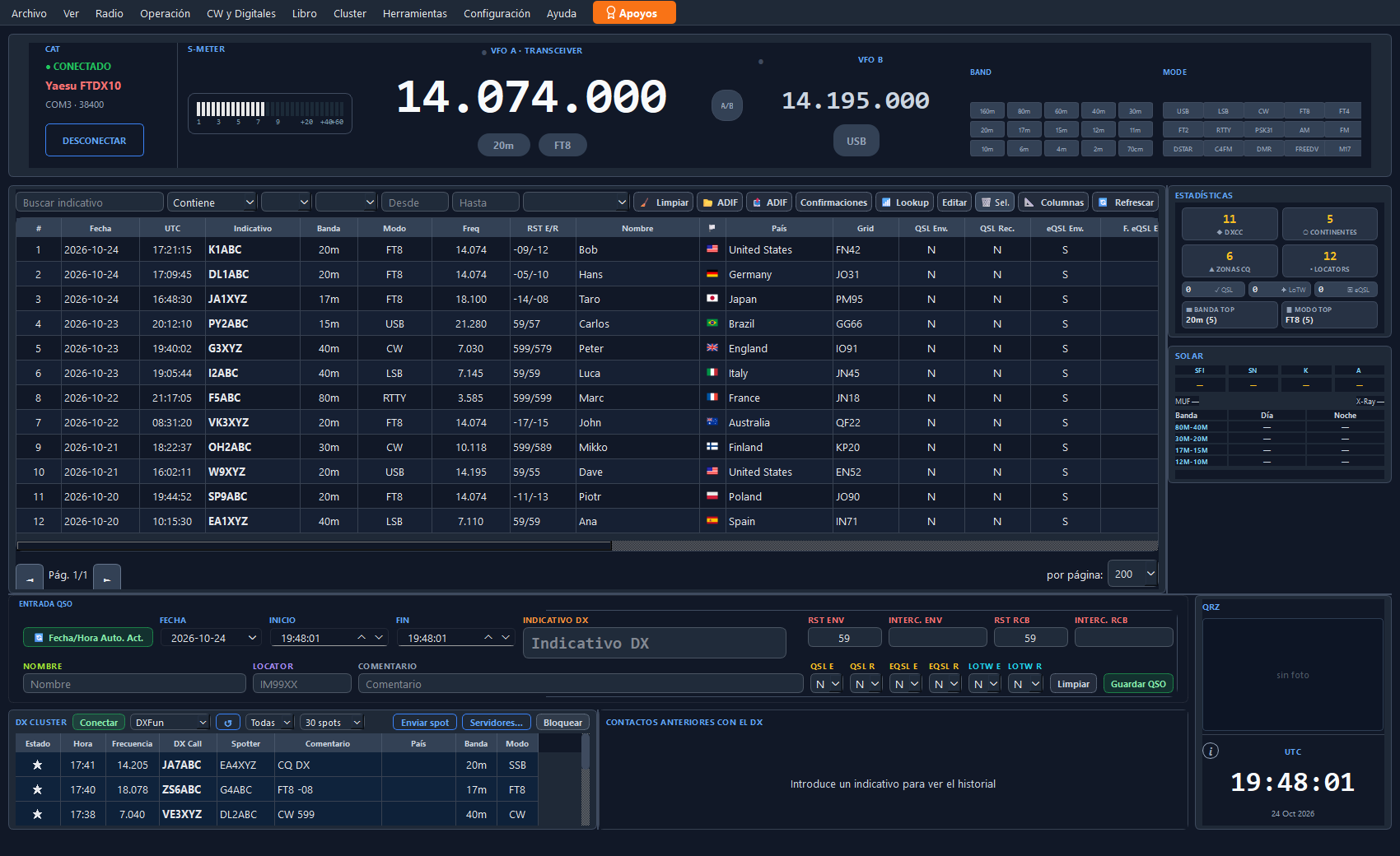
The logbook, with the QSO entry, the DX Cluster and the previous contacts.
In detail
Previous contacts
As you type a callsign you see your history of QSOs with that station: the last report and which callsign you used.
Bulk lookup
Fill in name, grid and country for several QSOs at once, or for all those with an empty name, for example after importing an ADIF.
ADIF
Import and export your log in the standard format, and bring your contacts from other programs without losing anything.
eQSL and LoTW
Upload QSOs in bulk (up to 300 at a time), download the confirmations and see the eQSL card from the logbook itself.
QRZ Logbook
Upload your QSOs and download the missing ones: two-way sync with the QRZ.com logbook.
Statistics and awards
A map of your QSOs, live propagation, statistics by band and mode, and your progress towards DXCC and other awards.
In four steps
- Set up your stationCallsign, grid and details in Settings → My station.
- Type the callsignThe name and grid fill in by themselves with the lookup.
- Save the QSOWith Enter; it shows up in the log at once.
- Upload itTo eQSL, LoTW or QRZ Logbook, one by one or in bulk.
Want to know more?
The manual explains it step by step.
Try it, it's free
Windows 10 and 11, 64-bit. It installs in a minute and needs no registration.
⬇ Download RadioLog v4.1.0