
Rig control
Your radio, controlled from RadioLog
- Reads and changes frequency, mode and band without touching the radio; the logbook and the digital modes use them.
- Three connection methods depending on your radio; pick the one that suits you best.
- The Hamlib relay lets WSJT-X and JTDX share the control, without fighting over the port.
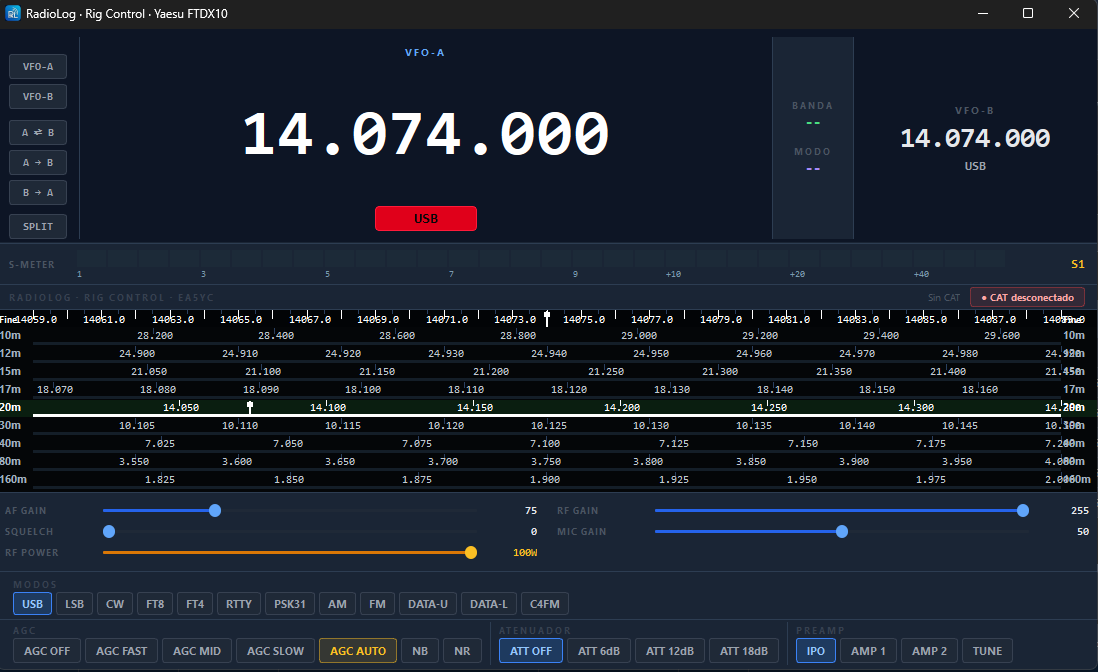
RigControl: VFO, band and mode in real time.
What it includes
In detail
Direct control
For Yaesu (FT-991A, FTDX10, FT-710…) and Icom with native CI-V. All you need is the USB cable.
Managed Hamlib
Hamlib is included: FT-817/818, FT-857, FT-897 and Xiegu radios (G90, X6100…), with nothing to install.
External rigctld
Any of the 500+ models Hamlib supports, with a rigctld you already have running.
FlexRadio
Initial SmartSDR CAT support: frequency, mode and RX/TX status of VFO A.
Relay for WSJT-X and JTDX
They connect to RadioLog's relay (localhost:4532) instead of the radio, and there are no conflicts.
RigControl
A window with the VFO, band, mode and S-meter in real time.
Getting started
In four steps
- Connect the radio by USBNote the COM port in Device Manager.
- Settings → Radio / CATChoose the method, the manufacturer, the radio and the port.
- ConnectFrom Radio → Connect CAT, or tick “Connect CAT at startup”.
- Optional: WSJT-XPoint it at the relay: Hamlib NET rigctl, localhost:4532.
Try it, it's free
Windows 10 and 11, 64-bit. It installs in a minute and needs no registration.
⬇ Download RadioLog v4.1.0